Author: Virtuals Protocol
Translator: Deep Tide TechFlow
Deep Tide Introduction: Virtuals Protocol has released a comprehensive operational guide for founders, step-by-step illustrating how to issue Agent tokens on Solana. The content covers identity and team setup, options for instant or scheduled issuance, core token economics (Automated Capital Formation ACF and Pre-buy), anti-sniper tax / fee delegation / issuing in the form of Agent, and provides three recommended solutions for early experiments, structured fundraising, and builder support, as well as post-issuance trading fees, graduation, liquidity, and LP locking mechanisms.
We have created this guide for founders who want a comprehensive understanding: a visual step-by-step guide from the first click to the final configuration of issuing Solana Agent tokens. It explains every setup, when to use each module, and how to build the right issuance plan for your project.
Contents Covered in This Guide
- Start Issuance: Identity, project information, and team setup.
- Instant or Scheduled Issuance: How to choose the right timing for issuance.
- Core Token Economics: Automated capital formation and Pre-buy.
- Advanced Configuration: Anti-sniper tax, fee delegation and issuing in the form of Agent.
- Recommended Issuance Plans: Recommended configurations for different founder situations.
- Check Issuance: Content to verify before going live.
- What Happens After Issuance: Trading fees, graduation, liquidity, and LP locking.
- Complete Video Demonstration: Walk through the entire issuance process with our co-founder.
Start Issuance
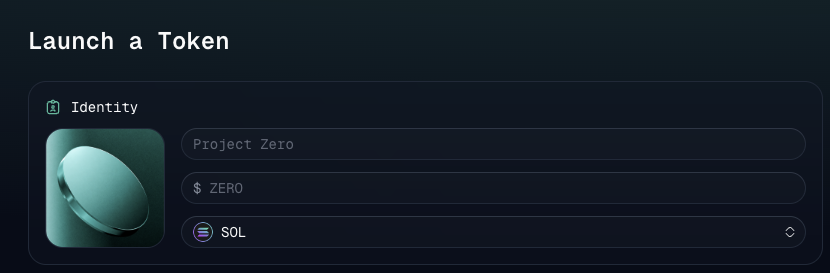
Go to app.virtuals.io, connect your wallet, and select Issue Token in the upper right corner.
Under Identity:
- Upload the token logo.
- Enter the token name.
- Select the token code.
- Select SOL.
- Add project description and social links (optional).
- Add founders and relevant contributors.
Instant Issuance or Scheduled Issuance?
Regardless of whether you issue the token instantly or schedule it for later, you can use the same issuance module. Scheduling only changes the timing of the issuance.
Situations Suitable for Instant Issuance:
- Your token economics and project information are finalized.
- Your community is ready.
- You want to start trading immediately after creation.
Situations Suitable for Scheduled Issuance:
- You want time to announce and market the issuance.
- Partners or the community need coordination.
- You want people to view the public issuance page first.
- The issuance is tied to an event, occurrence, or product launch.
Select the Right Modules
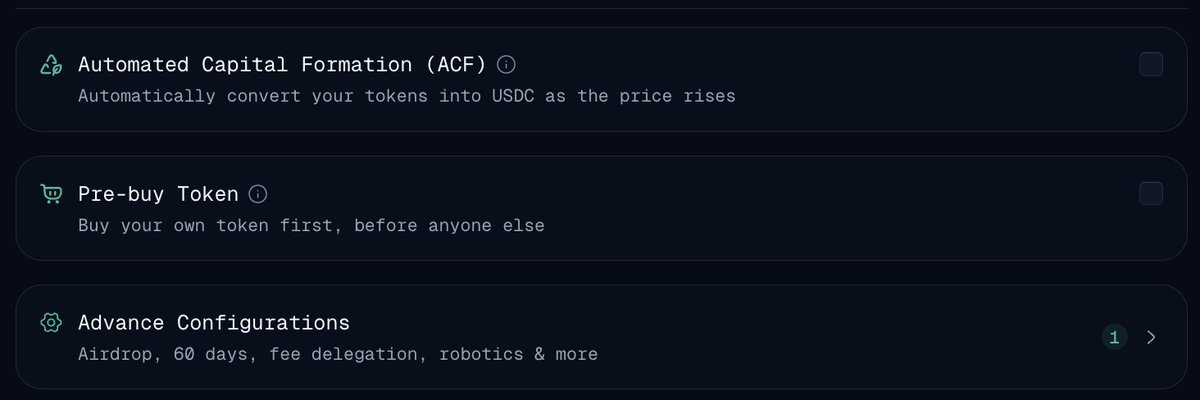
Automated Capital Formation (ACF)
Applicable Scenario: Your project needs to raise funds during growth without large-scale pre-sale of tokens.
ACF converts a portion of the project token distribution into stablecoins through an independent, specifically valued liquidity pool, as the token grows from $2M to $160M FDV. Because ACF does not directly sell into the main trading pool, founders can raise funds without directly applying selling pressure to the main chart.
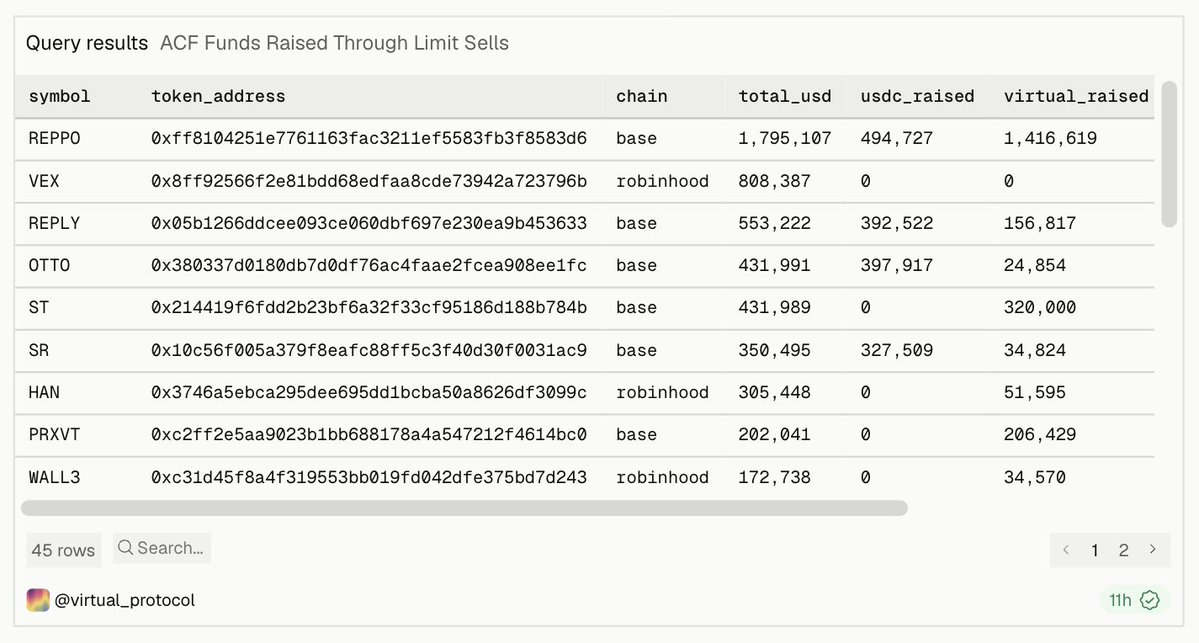
As of August 24, 2026, ACF alone has raised over $6.8M for Agents on Virtuals Protocol
Pre-buy Tokens
Applicable Scenario: Founding teams want to buy their own tokens before public trading starts.
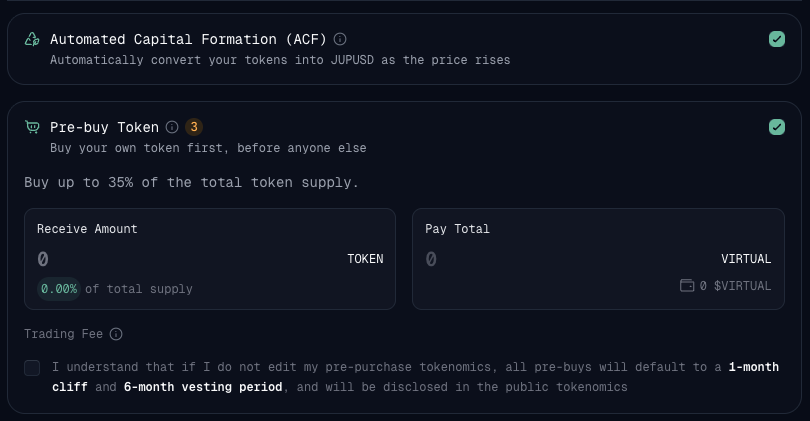
On Solana, issuance is traded through the Meteora DBC pool and reserves part for migration at graduation, so the Pre-buy cap depends on your ACF setup:
- When ACF is enabled: 35% of the supply is in the DBC pool before graduation, 15% is reserved for migration, and the team can Pre-buy up to 35%.
- When ACF is disabled: 83.15% of the supply is in the DBC pool before graduation, 16.85% is reserved for migration, and the team can Pre-buy up to 83.15%.
Allocation information will be publicly disclosed, and traders can see the team's participation before issuance.
Pre-buy can help founders establish holdings, demonstrate confidence, and avoid buying their own position only after public trading starts.
Customize Pre-buy Token Economics
- After entering the Pre-buy amount:
- Find Team Initial Buy under token distribution on the right side.
- Open and select Add Allocation.
- Enter allocation name, description, and amount.
- Add each recipient's wallet address and token allocation.
- Under Release Schedule, select Add Unlock to configure token release timing.
- Ensure all allocations have been completed, then save.
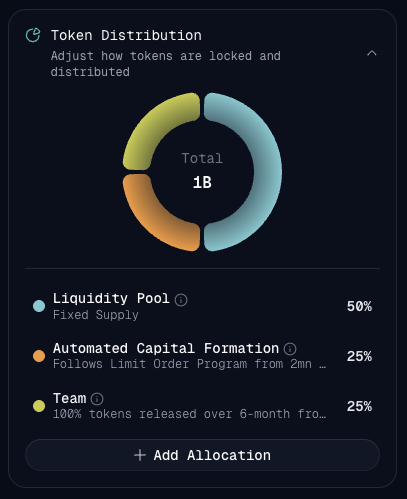
If founders do not customize these settings, the Pre-buy defaults to a 1-month cliff with a subsequent 6-month unlocking period.
Allocations, recipients, and release schedules will be publicly disclosed in the token economics.
Extended Reading Pre-buy Tokens
Advanced Configuration
After configuring the main token economics, open Advanced Configuration to access additional issuance protections, allocations, experiments, delegations, bots, and Economy OS settings.
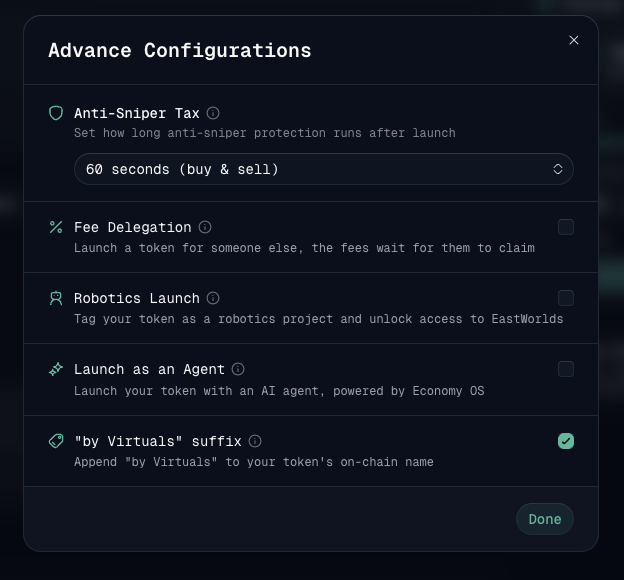
The modules are arranged in the following order.
Anti-Sniper Tax
Applicable Scenario: You want to protect the early market of the token from bots, speculative snipers, or immediate sell-offs.
Anti-sniper protection imposes steep issuance taxes on both buying and selling, preventing bots from acquiring cheap tokens during issuance. The tax gradually decreases to 1% over a selected window: 60 seconds, 10 minutes, or 98 minutes, and can also be completely turned off.
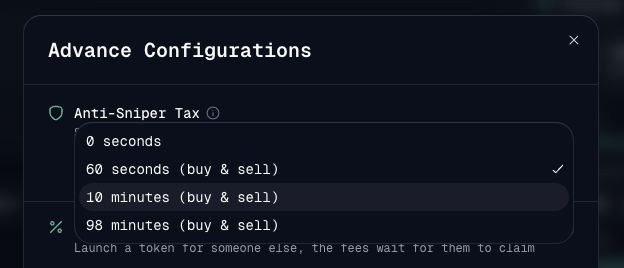
All taxes collected during the protective window are used to buy back Agent tokens and return them to the team wallet.
Extended Reading Anti-Sniper Tax
Fee Delegation
Applicable Scenario: You want to issue tokens on behalf of trusted builders.
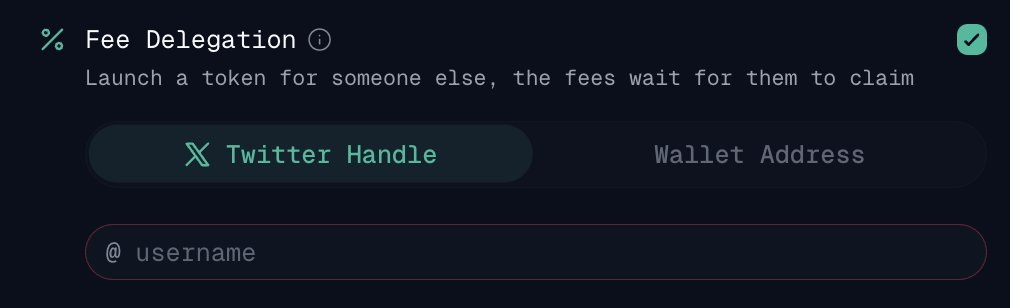
Fee delegation allows you to issue tokens on behalf of another builder without their permission or wallet connection.
As tokens are traded, the builder’s share of transaction fees automatically accumulates into a balance reserved for them. They can see this balance grow, and once they log into Virtuals and claim their profile, the accumulated fees become theirs.
Bot Issuance
Applicable Scenario: The project is centered around physical robot products or forms.
Enabling this option will tag the tokens as a bot project. Traders browsing Virtuals can identify it immediately, and investors focused on bots can more easily discover the project.
Issuing in the Form of Agent
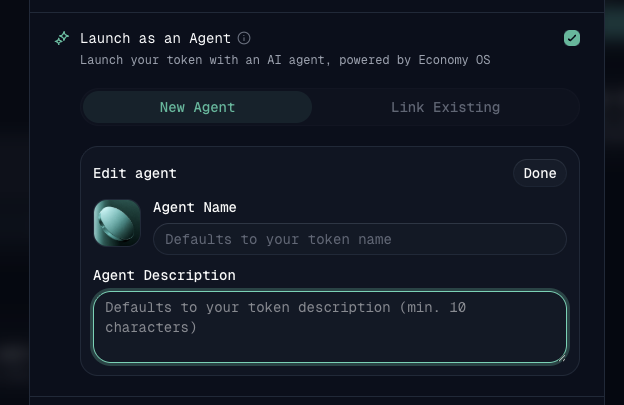
Applicable Scenario: You want to issue tokens together with an AI Agent powered by Economy OS.
Enabling this option will issue the tokens along with their dedicated AI Agent—a fully configured economic participant with its own wallet, email, and card.
Driven by Economy OS, Agents can:
- Make money by selling services.
- Hire other Agents.
- Trade autonomously.
- Receive income from token trading fees directly to their wallets.
Founders can choose to Create New Agent or Link Existing Agent. No coding or additional setup is necessary.
To learn more, visit os.virtuals.io
Recommended Issuance Plans
Early Experiments
- Instant issuance.
- Anti-sniper protection.
- Issuing in the form of Agent (if using Economy OS).
Why It Works: Instant issuance lets your idea start trading immediately, anti-sniper protection creates a more controlled open market, while Economy OS can provide an operational economic Agent for the project from day one.
Best For founders validating early product or Agent concepts.
Structured Fundraising Issuance
- Scheduled issuance.
- Automated capital formation.
- Pre-buy (if the founding team wants to secure initial holdings).
- Anti-sniper protection.
- Detailed team and project information.
Why It Works: ACF provides a transparent way for teams to raise stablecoins while the token grows without selling into the main trading pool. Scheduled issuance creates time for the project explanation, while Pre-buy allows the team to establish publicly disclosed holdings.
Best For serious teams seeking transparent, growth-based capital formation.
Builder Support Issuance
- Scheduled issuance.
- Fee delegation.
- Anti-sniper protection.
Why It Works: Fee delegation allows you to issue tokens on behalf of trusted builders, with their transaction fee share automatically accumulating until claimed. Scheduled issuance gives the community time to review recommendations and project information, while anti-sniper protection helps reduce bot-driven activities during issuance.
Best For supporters issuing on behalf of builders or teams coordinating the community timing.
Check Preview
Before issuance, confirm:
- Token name and code.
- Solana has been selected.
- Issuance wallet.
- Team members and project description.
- Instant or scheduled time.
- Token distribution.
- Selected modules shown under mechanisms.
- ACF and Pre-buy allocations.
- Issuance fees.
- Social links and token logo.
The preview should accurately reflect what traders will see.
What Happens After Issuance?
Each issuance uses the same core Virtuals infrastructure:
- Tokens start trading through the Meteora DBC pool.
- A 1% trading fee applies, releasing every 2 VIRTUAL accumulated.
- 70% of trading fees go to the creator.
- 30% goes to the Virtuals treasury.
- Tokens graduate after accumulating 42,000 VIRTUAL.
- At graduation, their liquidity is automatically deployed to the public Meteora pool on Solana.
- The generated LP tokens are locked for ten years.
Watch Complete Demonstration
Prefer to see actual operations? Watch our co-founder @everythingempty demonstrate the full issuance process, from selecting the right module to configuring every module.
The demonstration covers the Robinhood Chain process; the Solana process is identical except for chain selection, the mentioned Pre-buy cap, and graduation to Meteora.
You now have everything needed to configure token economics, choose the right modules, and bring your Agent on-chain. What are you waiting for?
免责声明:本文章仅代表作者个人观点,不代表本平台的立场和观点。本文章仅供信息分享,不构成对任何人的任何投资建议。用户与作者之间的任何争议,与本平台无关。如网页中刊载的文章或图片涉及侵权,请提供相关的权利证明和身份证明发送邮件到support@aicoin.com,本平台相关工作人员将会进行核查。


