New User Registration Guide: Web Version
Step 1:
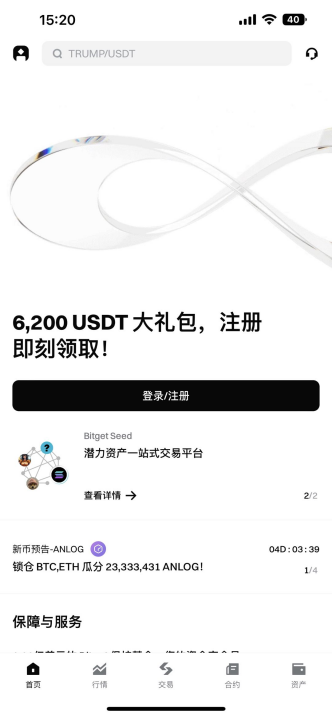
Open the Bitget official website, click on Register on the page to enter the registration page.

Step 2:
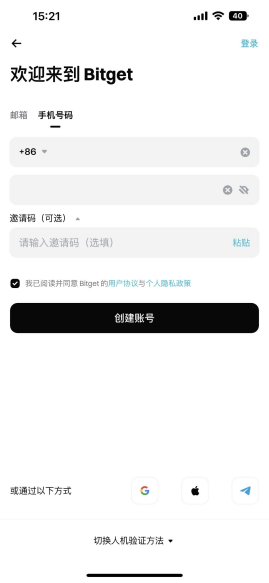
Enter your email, set a password (requirements are 8-32 characters, must include numbers + uppercase letters + special symbols, such as A1@666xxx), fill in the invitation code if you have one, check to agree to the user agreement, and click Create Account.
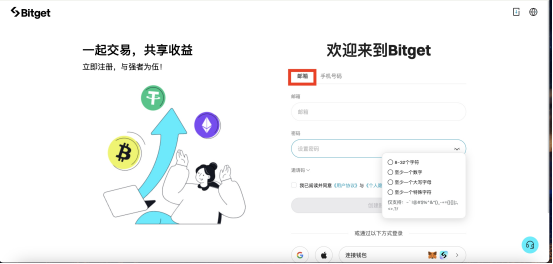
Step 3:
Complete the human verification: click the symbols in the pictures in the order indicated, then click Confirm; afterward, your email will receive a 6-digit verification code (valid for 10 minutes), copy and paste it into the verification box.
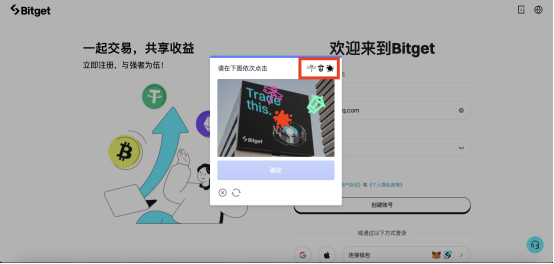
Step 4:
After entering the verification code, the account will be successfully created, and the page will prompt you to complete identity verification, directly click Verify Now to start KYC.
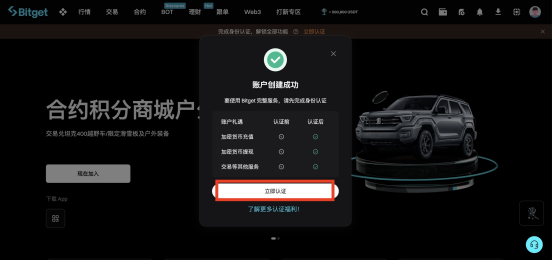
Step 5:
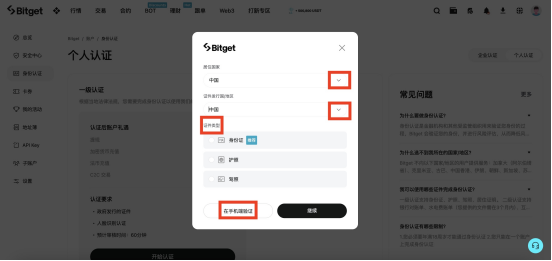
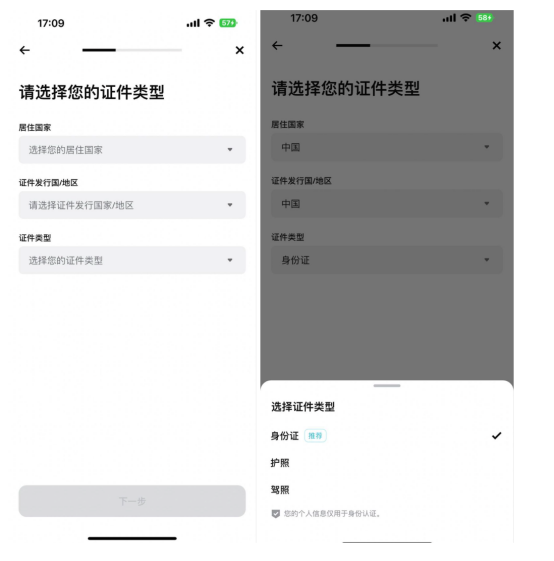
On the verification page, click Start Verification, select Country/Region of Residence and Document Issuing Country/Region from the dropdown (select China for domestic users), then choose the document type (ID card is recommended, but passport and driver's license are also options).
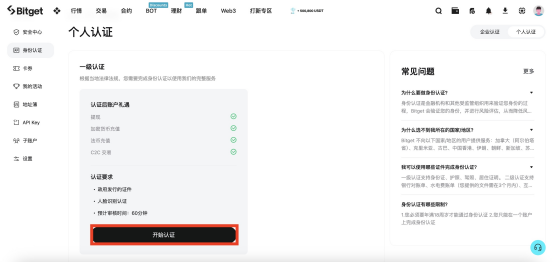
Step 6:
At this point, two options will appear: Continue (Web Verification) / Verify on Phone, choose one:
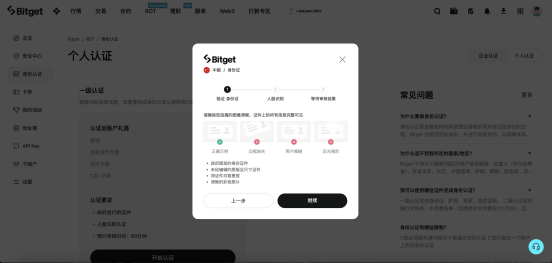
Select Verify on Phone: follow the prompts to switch / scan the code to operate on your mobile device (the procedure is the same as the app's verification steps, recommended for convenience in taking photos);
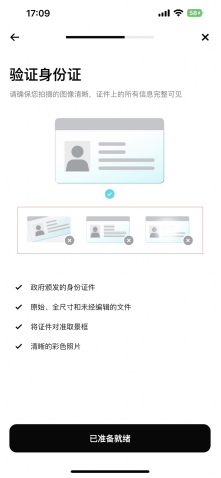
Select Continue (Web Verification): upload a high-definition photo of your ID card's front and back on the computer (must have been taken in advance, requiring no obstructions, no reflections, complete information, unedited original).





免责声明:本文章仅代表作者个人观点,不代表本平台的立场和观点。本文章仅供信息分享,不构成对任何人的任何投资建议。用户与作者之间的任何争议,与本平台无关。如网页中刊载的文章或图片涉及侵权,请提供相关的权利证明和身份证明发送邮件到support@aicoin.com,本平台相关工作人员将会进行核查。