Web3 Dog Charging, Speed and Efficiency are Key
In the ever-changing world of Web3, especially in the battle for meme coins, speed and efficiency are the keys to success. Have you ever missed out on the "Golden Dog" because you couldn't monitor the market 24/7? Have you ever fallen behind because you had to refresh the data manually?
The "Tracking" module of the OKX Web3 wallet not only helps you build a smart money intelligence database, but it also takes it a step further by pushing real-time trading dynamics of this "smart money" directly to your phone through the mobile "Tracking Alert" feature! Say goodbye to the exhaustion of staring at your computer and master the movements of whales anytime, anywhere, truly achieving "Dog Charging Freedom"!
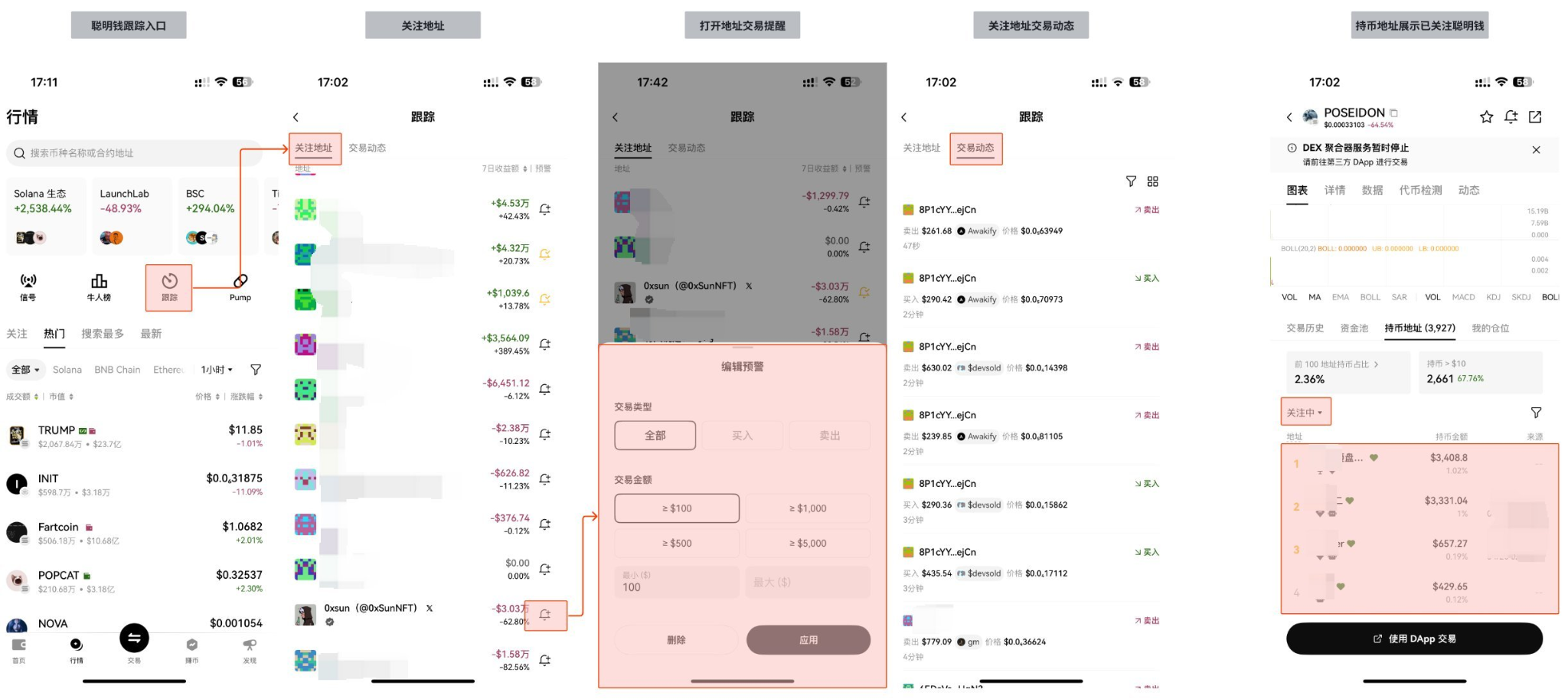
1. What is OKX Wallet Mobile 'Tracking'? Your On-the-Go Blockchain Radar
The mobile "Tracking" module of the OKX wallet allows users to set personalized trading alerts for "smart money" addresses they follow. Once these addresses engage in buying or selling behaviors that meet your preset criteria, your phone will immediately receive app push notifications, ensuring you don't miss any potential trading opportunities.
It's like having a dedicated "on-chain radar" installed in your phone, monitoring the "smart money" addresses you care about most 24/7, ensuring you grasp critical information first and make informed decisions.
2. Activate Your On-the-Go Radar: Step-by-Step Setup for 'Tracking Alerts'
Setting up the OKX Wallet mobile 'Tracking Alerts' is very simple and can be completed in just a few steps:
1. Ensure You Are Following "Smart Money" Addresses:
- If you haven't followed any "smart money" addresses yet, gather addresses suitable for following.
- Only followed addresses can have their trading alerts set.
2. Open the OKX App and Enter the 'Tracking' Module:
- Open the OKX App and switch to Web3 Wallet.
- Click on the "Market" at the bottom navigation bar, then select the "Tracking" module.
3. Find and Enable 'Address Trading Alerts':
- In the 'Tracking' module, find the list of addresses you are following.
- Next to each followed address, there will usually be a "bell" icon or "alert" button. Click it to enter the trade alert settings page for that address.
4. Customize Your Alert Conditions:
- On the alert settings page, you can customize the alert conditions based on your needs:
- Trade Type: Select alerts for "all" trades, only "buy" trades, or only "sell" trades.
- Transaction Amount Threshold: Set the minimum transaction amount that triggers an alert. For example, you could choose “> $100,” “> $500,” “> $5,000,” or even “> $10,000,” focusing only on the large transactions of whales.
- Alert Frequency: Adjust the frequency of alerts as needed.
- Once set, click "Confirm" or "Add Alert".
5. Enable App Notification Permissions:
- Important Reminder: Ensure that your phone system has enabled notification permissions for the OKX App; otherwise, you will not receive real-time notifications. Please go to your phone's "Settings" -> "App Management" -> "OKX" -> "Notification Management" to set it up.
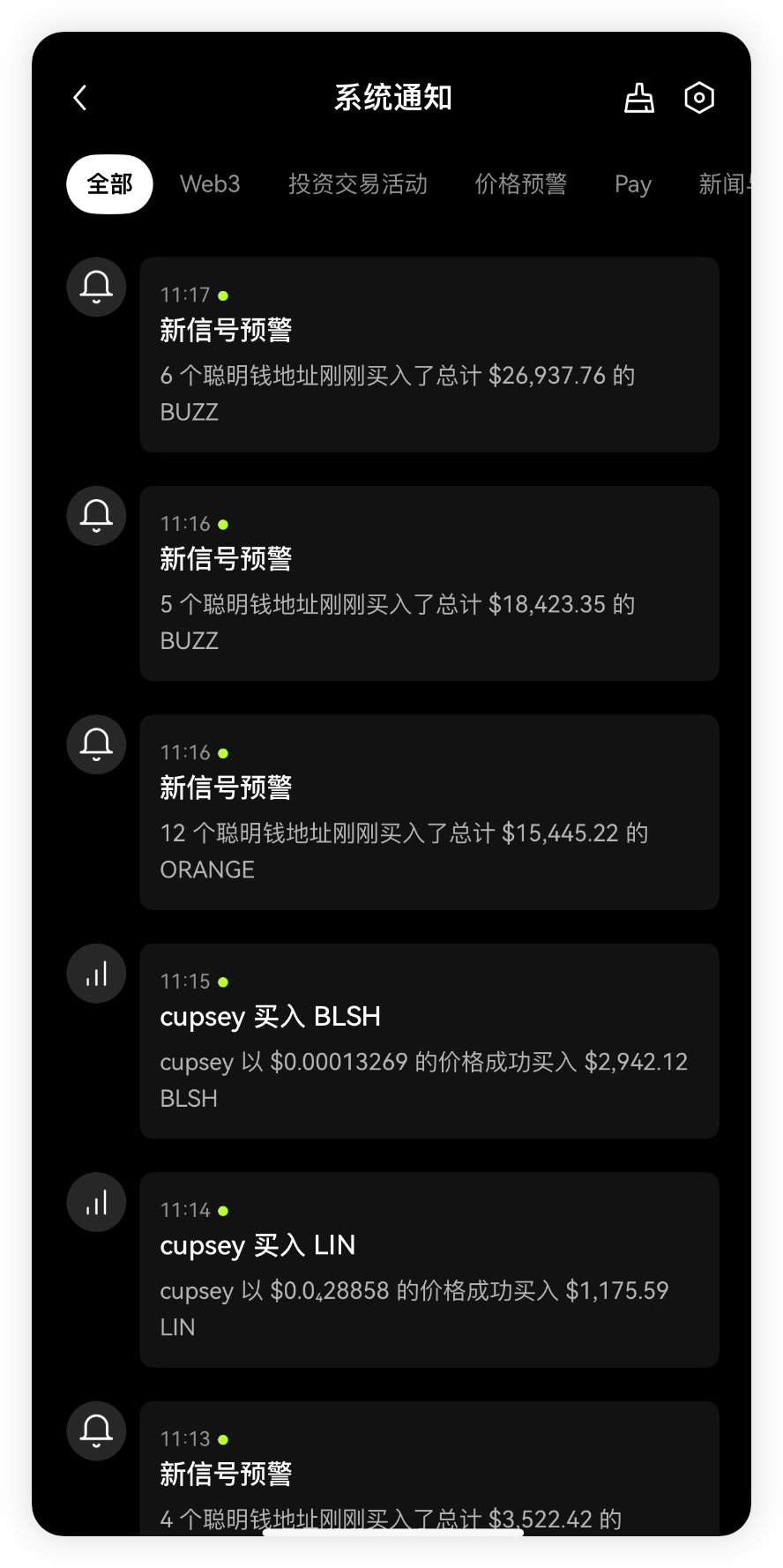
3. Why Choose OKX Wallet Mobile 'Tracking Alerts'?
- Real-time: On-chain transaction data is synchronized in real time and pushed to your phone immediately, allowing you to act faster than others.
- Convenience: Say goodbye to being tied to a computer, grasp on-chain dynamics anytime, anywhere, and never miss an opportunity.
- Personalization: Customize alert conditions based on your needs, filter out irrelevant information, and focus only on valuable signals.
- Security: As a self-custody wallet, OKX Wallet ensures asset security while providing powerful on-chain data analysis tools.
4. Conclusion: Your Phone is the "Best Weapon" for Web3 Dog Charging
The mobile 'Tracking Alerts' feature of the OKX Wallet turns your phone into the best weapon for Web3 dog charging. It allows you to efficiently and conveniently track the movements of "smart money," ensuring you don't miss any potential opportunities for wealth. Say goodbye to passivity, take proactive action, and make your Web3 investments more confident!
Exclusive Benefit: Bind Invitation Code and Save an Extra 20% on Trading Costs!
While you leverage the OKX Wallet 'Tracking Alerts' feature to seize opportunities, don’t forget to bind the exclusive invitation code [AICOIN88]! By binding this invitation code, you will enjoy a permanent 20% reduction in trading fees. This means that you can maximize your profits while staying ahead on-chain!
Special Benefit Binding Invitation Code Tutorial:
Method 1: Click the exclusive link below (the invitation code is automatically filled for you):
https://web3.okx.com/ul/joindex?ref=AICOIN88
During the wallet creation/import process, confirm that the invitation code AICOIN88 is bound.
Done! Start enjoying fee reductions immediately!
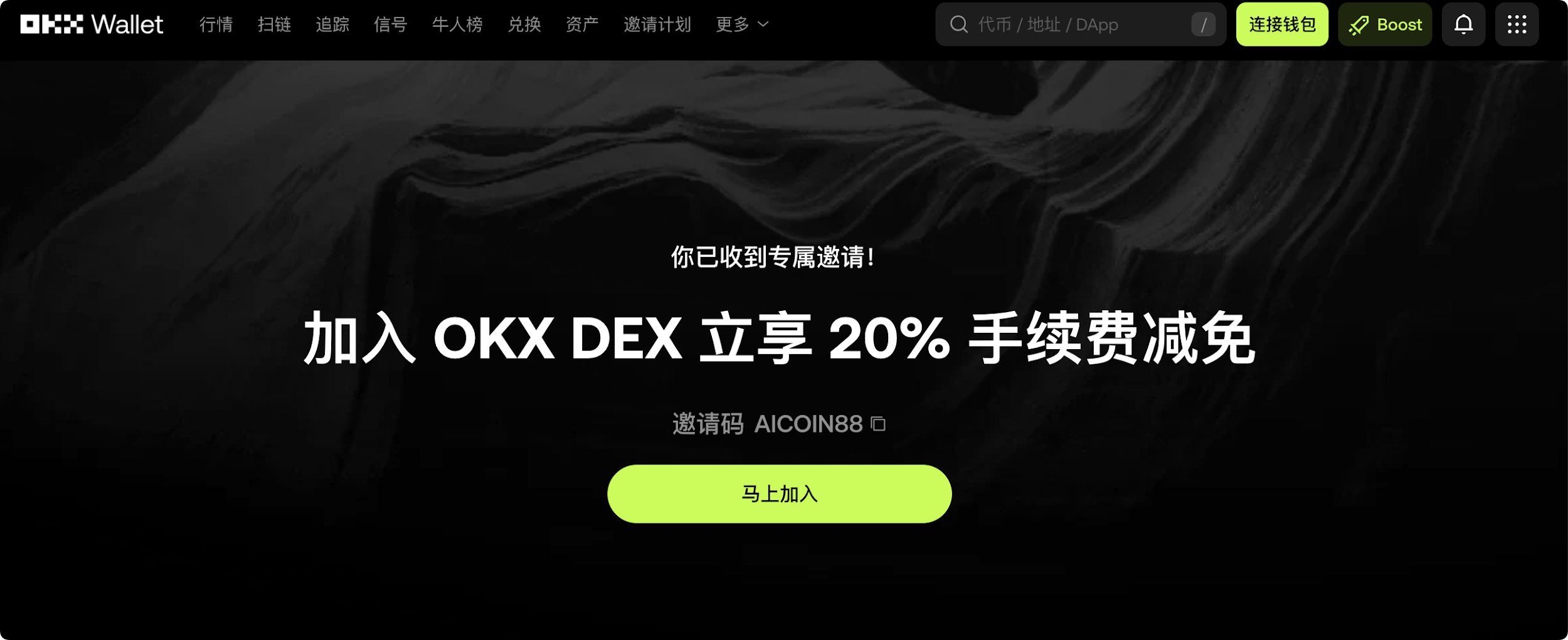
Method 2: OKX App Download Link:
https://static.rmgvx.com/upgradeapp/okx-android_aicoin20.apk
App Binding Invitation Code (AICOIN88) Method:
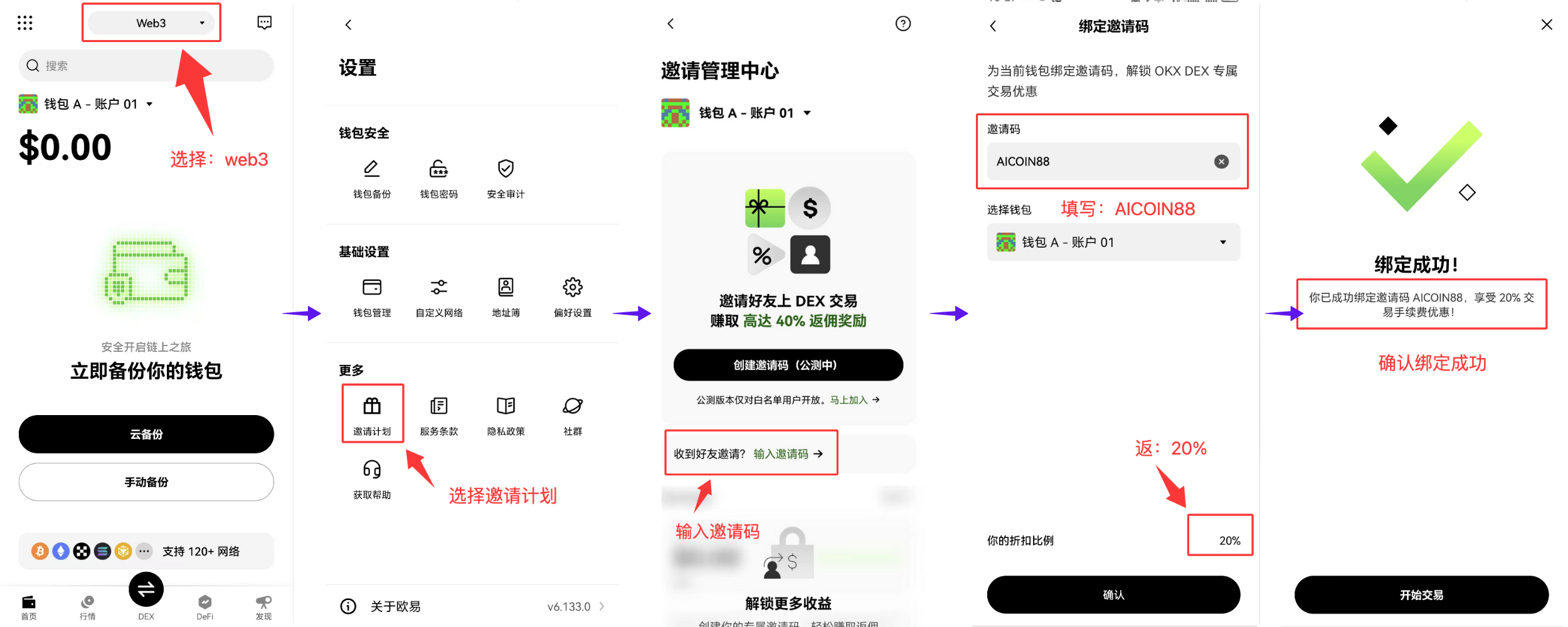
Summary and Call to Action: The Invitation Code is Money
Join our community, let’s discuss and become stronger together!
Official Telegram community: t.me/aicoincn
AiCoin Chinese Twitter: https://x.com/AiCoinzh
20% Discount on Trading Fees Exclusive:
https://web3.okx.com/ul/joindex?ref=AICOIN88
OKX Benefit Group:
https://aicoin.com/link/chat?cid=l61eM4owQ
免责声明:本文章仅代表作者个人观点,不代表本平台的立场和观点。本文章仅供信息分享,不构成对任何人的任何投资建议。用户与作者之间的任何争议,与本平台无关。如网页中刊载的文章或图片涉及侵权,请提供相关的权利证明和身份证明发送邮件到support@aicoin.com,本平台相关工作人员将会进行核查。


